
Corporate project · Industrial manufacturer · Completed · delivered as an installer
3D Product Configurator and Live Plant Simulation
The sales team picks floors, rows and units; the whole plant is drawn in 3D in the browser, its capacity is calculated instantly and feed, water, egg and manure flows are animated as it runs.
- 3D & interactive
- Web app
- Sales tool
- 2,450part placements
- 7.3 milliontriangles, no simplification
- 5 languagesincl. right-to-left Arabic
- Offlineworks without internet
- 9product models
- 204 / 153parameters / modules read from the CRM
- 8configurations auto-checked before every release
- 150+automated unit tests
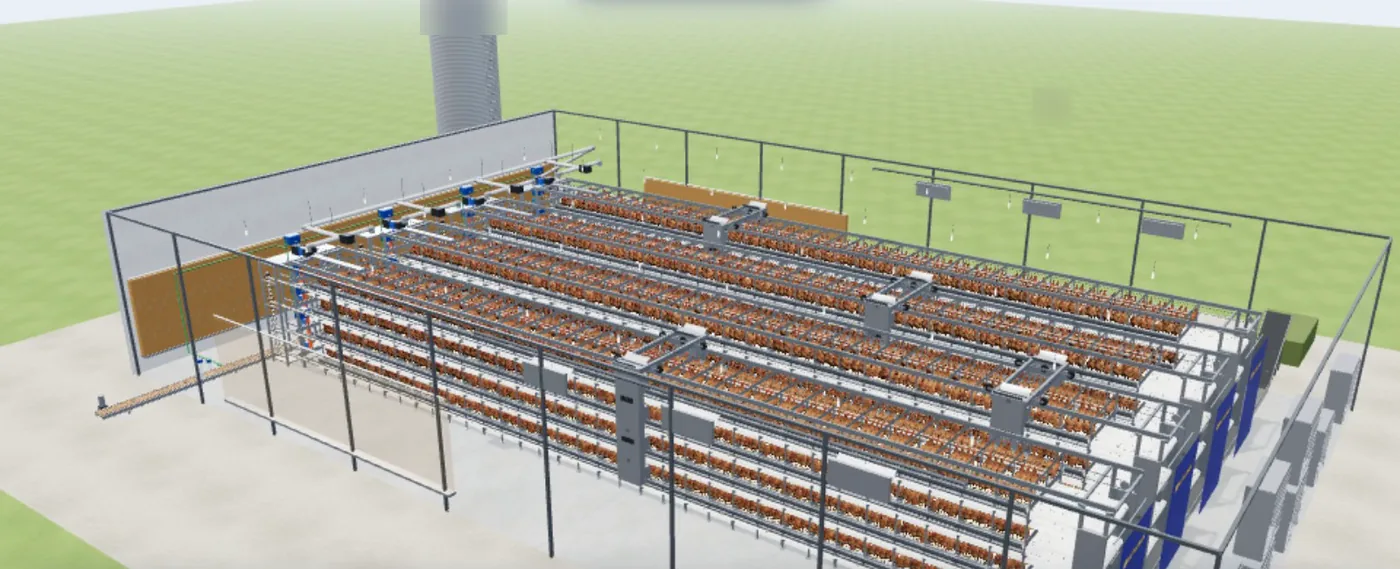
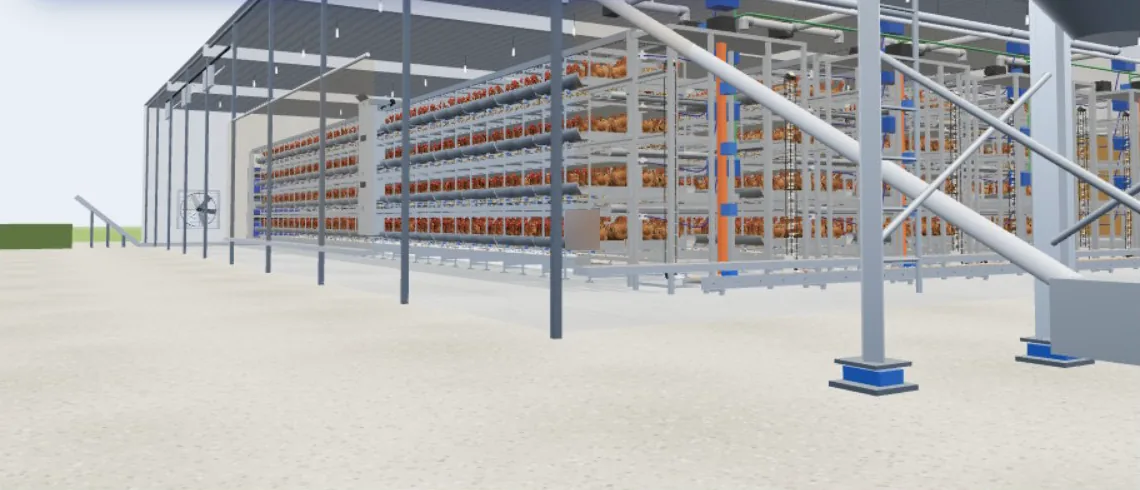
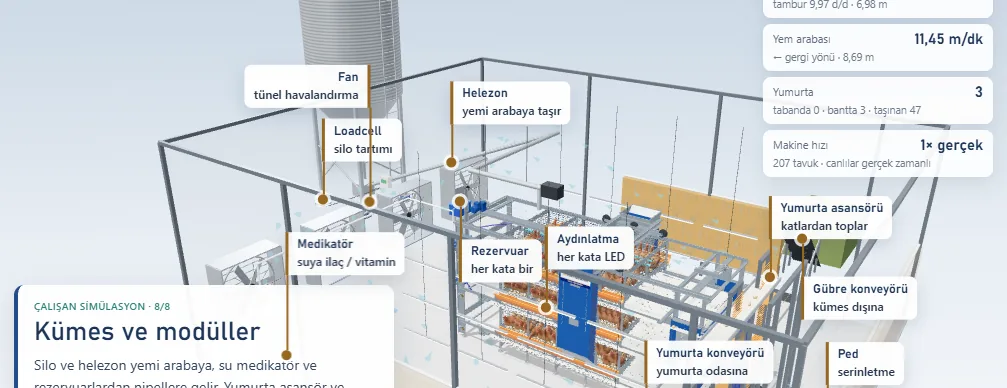
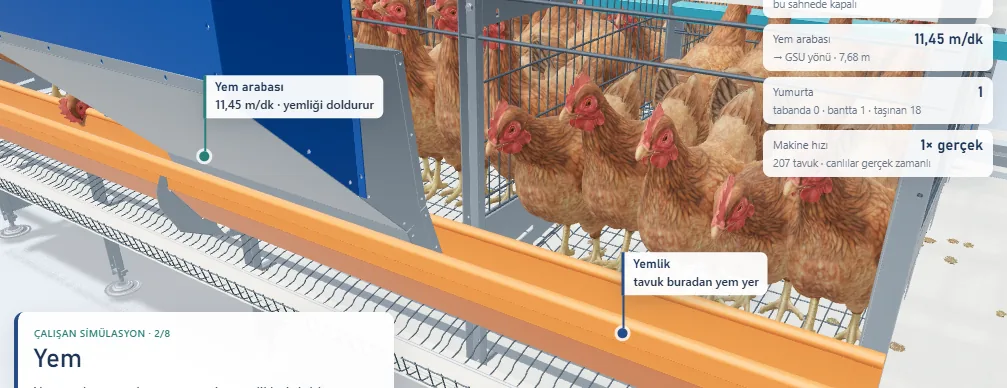
Built for an industrial company. For confidentiality, the company name, logo, product/part codes and internal data are not shared; images are cropped accordingly.
3D chicken model: "Chicken" by pooiloui2, CC BY 4.0 (Sketchfab).
The need
Explaining a multi-level plant with hundreds of parts on paper was hard. Size, capacity and equipment choices stayed unclear at the quote stage and every question went back to engineering.
The solution
- A browser-based 3D configurator generated from the real CAD assemblies.
- Capacity, cage area and suggested building size update instantly as floors, rows and units change.
- Feed cart and manure belt are simulated with the real motor speeds from purchase lists.
- Guided tour, client presentation mode, part studio and image export.
- Each CRM quote draws its own plant automatically, with exactly the quote's modules; the same data always gives the same drawing.
- A variation panel shows how often each option was chosen in real past quotes.
- Part studio: the salesperson isolates one part or one flow (feed, water, egg, manure path) and plays it at real speed.
- A light mode for laptops without a graphics card: quality steps up by itself based on measured frame time.
- Power guard: rendering pauses after 4 idle minutes, the screen stays awake while presenting, and the page recovers if the graphics context is lost.
- The egg-collection lift was redrawn tier by tier from a site video and the R&D team's CAD (November 2026).
- Automated QA: for every model the live story, a ~350-point tour, motion and part cards are checked in a headless browser and diffed against the previous release.
Delivered
- Windows installer, works offline
- User manual and training video
- Interface that creates time-limited sharing links from CRM quotes
- Machine-wide MSI installer, deployed remotely to the sales team
- Desktop launcher that needs no admin rights
- Automatic "new version available" notice in the offline copy
Technologies
- Three.js
- CAD / STEP import (OpenCascade)
- Node.js
- PWA
- Windows installer
- Python (MSI build)
- C# (.NET launcher)
- Chrome DevTools Protocol (QA)
- Node.js test runner
Related services
3D & Interactive PresentationWebsites & Corporate SitesVideo, Reels & AnimationTraining & Consulting